Increase Social Media Engagement: 10 Ways to Optimize Your Social Media Content

keep-calm-and-optimize-28
22Jun

Attempting to master social media marketing can be both confusing and overwhelming at times.  Keeping track of all of the latest changes and trends, while trying to implement all of the newest tips and tricks can be challenging for a busy company.

When it comes to social media, the nucleus of all engagement is content.  So no matter what different changes may happen to the structure of social media sites, the one thing that will remain the same is the importance of well executed, optimized, engaging content.

Say you already have excellent content in place, but your posts are not generating the results that your campaign needs to deliver.  What’s the problem?

While writing great content is a constant, optimizing it is a constantly evolving medium.  Optimizing your content for social media sites such as Facebook, LinkedIn, and Twitter can be as specific as changing an element within your post to work with the infrastructure of each one of these juggernauts.

We all know that writing custom content for your social media marketing campaign can be time consuming, so let’s make sure that all of that time spent is an investment that will go towards accomplishing our goals.

What I want to share with you here are ten of my own personal tips for helping your social media marketing content truly “pop” online so that you will get increased engagement through shares, likes, comments and much more!

The list below is not in order of importance: these are all vital factors that will help enhance your social media campaign’s success over time:

1.  Keywords: When developing strong social media content, keywords are absolutely essential.  The words or phrases that your target audience use to find your company (both online and offline) should always be handy when you are developing your content.  My tip is to create a list of keywords that you can add to your updates, and then use them when suitable.  These keywords will turn into hashtags and will help increase your visibility and engagement (more on this later).

2.  Be Conversational: What does your content look like?  When you read it out loud does it sound like a used car advertisement?  Does the post draw you closer, or push you away?  Imagine your post intermingled with all of the other posts (of direct and indirect competitors) vying for your target audience’s attention.  Does it still stand out? One of my top tips with social media posts is to remember that they need to be “social” i.e. conversational.  You want to start a conversational exchange with your audience – which is what engagement is!  So read your content out loud after you write it and make sure that it reads as if you are saying it – not writing it. Having your content sound “human” and not like “sales and marketing copy” is absolutely essential.

3.  Use Different Content Lengths:  Not every social media site is looking for a 140 character solution.  So writing one update and sending it through to all social media networks is not the best rule.  The ideal way of optimizing your content for size is to begin by writing a short update for Twitter (maximum 120 characters to promote sharing). Then write a slightly longer one that you can post on Facebook and LinkedIn.  This way you are able to move beyond Twitter’s character constraints when writing content, giving you freedom to enhance your posts with more engaging content, as well as giving you the ability to add further optimization through additional hashtags, tags, links, and more.

4.  Call to Action: One of the first things I learned when I launched our online marketing agency 7 years ago was the power of asking for what you wanted.  People move through social media content so fast that they don’t have time to read your mind and or read between the lines.  If you want someone to perform a certain action, make sure to tell them what you would like them to do: read this story, click this link, sign up today, etc.

5.  Shorten Your Links: On some social media sites, namely Twitter, size is everything…when it comes to characters of course.  So when you are sharing a link within your allowed 140 characters, and the link takes up nearly 60% of your available characters allocation – how are you supposed to engage your audience?  Use a link shortening tool to save space to allow your content to breath.  Also, if you are sharing links on other social media sites, a short and concise link will prevent the link breaking when posting to your social media profile.  It’s a little extra insurance that will come in handy.

6.  Hashtags: A hashtag is a type of label used on specific social media sites which makes it easier for users to find social media updates (or messages) with a specific theme or specific content. In basic terms, a hashtag indexes a post to be about a certain topic, rather than just mentioning it in the conversation so that it can easily be found and referenced.  By hash tagging your KEYWORDS within your social media content, you will enhance your “find-ability” on the social web exponentially, thus optimizing it.

7.  Tagging: Tagging on social media is a way of connecting YOUR social media content with another person, company, topic, or event.  So whereas hashtags connect general KEYWORDS together (such as #socialmedia, #onlinemarketing, #contentstrategy), tags connect social media content to specific social media accounts. This is a great way to increase your visibility with not only potential customers, but also referral sources and influencers. These are essential in helping your content gain more visibility and engagement through association.

8.  Photos/Images: While many people are getting wrapped up in the semantics of writing the “perfect social media post”, they are forgetting one of the most straightforward engagement enhancer: visuals.  While you can have a perfectly optimized post, it is not truly optimized unless you add a visual.  By adding a complimentary picture, a custom designed graphic, infographic, or even a candid shot that you took with your phone, you engage your audience in a more instantaneous way.  For example, think about when you scroll through the newsfeed, are your reading the content or looking at the pictures? You’ll find yourself engaged with visuals more quickly than the actual written words.

9.  Videos: Videos have long been heralded as the “be all and end all” of online marketing optimization.  So why aren’t more people doing them?  Time, money and lack of know-how.  Well, you are not alone if this sounds like you!  Videos done professionally or casually with your mobile device, can bring your content to life and create engagement.  You don’t have to be Steven Spielberg to create an engaging social media video.  As is true in the previous point (visuals are crucial to enhancing engagement), videos really promote enhanced engagement.  For example again, think about how many times you stop at those auto-play videos on Facebook.  You probably remember the video as opposed to the content.  Or the video led you to actually reading the social media posting associated with it, which you would have normally overlooked.

10.  Don’t Always Rely on Third-Party Scheduling Tools: Especially when it comes to Facebook and LinkedIn.  While third-party tools won’t affect your Twitter posts, they really do reduce your optimization opportunities on sites like Facebook and LinkedIn: your hashtags won’t work, your tagging won’t show up, and your previews are tough to edit.  Not to mention the fact that many sites don’t add posts scheduled through third-party tools to the insights that help you understand what posts are successful and which ones aren’t.  By adding your content directly to Facebook and LinkedIn you will escape this risk.  This way you will have full control over how effective your content is.  It will take extra time, but will increase your overall effectiveness!

These are my top 10 ways of optimizing your social media content to promote increased engagement.  While they may take a little extra time, it is a worthwhile investment.  Engaging your audience with your content is one thing, but actually having the tools to make your content more findable is absolutely essential to success.

I’m sure there are also ways that have worked for you.  If you have any others that you think should be added to the list, what would they be?  Please share your thoughts in the comments section below.

Need Online Marketing Help?

Fill Out the Form Below and We Will Get Right Back to You!

[ninja_forms_display_form id=1]

Read More
The Best Times to Post on Facebook, LinkedIn, Twitter

socialclock
6Mar

When you are executing a social media marketing strategy, there is a lot to think about.  You might be concerned about:

  • The use of visuals
  • Your content strategy
  • Who will be executing the work
  • How will you measure your results
  • When the work will be done

There is such an overwhelming amount of planning that goes into executing a social media marketing strategy that it is inevitable that something will be left to the last minute.  In my experience an extremely vital point that gets left out in the cold during the social media strategy planning stage is when is the best time to post content to Facebook, LinkedIn and Twitter?!

While this is a seemingly unimportant factor, I am here to tell you that it is absolutely vital to your social media strategy.  Just think, for example, of an email marketing campaign that you have previously executed.  If you have looked at the studies done on email marketing, I am sure that you found out that by altering the time and date of your blasts, you can increase effectiveness.

And I am here to tell you that this is definitely true.  We have executed email marketing campaigns for our clients and when we discovered the optimum time and date for them to be sent, their success rate skyrocketed!

This holds true also when we find the optimum posting time for our clients on social media.  Before, they had a well written post with wonderful content that was languishing at the bottom of the barrel.  Once we found the optimal posting time and used it, we could take this same exact post and garner exponentially more engagement…with only changing the time and date it was shared!

Have you ever posted something to social media that you truly believed to be earth-shatteringly good and….crickets?  This is a prime example of the importance of choosing the right time and date when posting your social media content.  I know how much time it takes to formulate good, engaging content, and I for one want it to be successful every time I post it!

To help you along, here are some times that we have found to be helpful when posting content to Facebook, LinkedIn and Twitter respectively.

Facebook:

  • Best Time to Post: Daily, between 1-4pm
  • Peak Time to Post: Wednesdays at 3pm
  • Worst Time to Post: Saturday and Sunday before 8am and after 8pm

Twitter:

  • Best Time to Post: Monday through Thursday, 1-3pm
  • Peak Time to Post: Monday through Thursday, 9am-3pm
  • Worst Time to Post: Everyday after 8pm, Fridays after 3pm

LinkedIn:

  • Best Time to Post: Tuesday through Thursday
  • Peak Time to Post: Noon, 5-6pm, Tuesday through Thursday
  • Worst Time to Post: Monday through Friday, 10pm-6am

These are simply guidelines for you to use which will effectively bring you closer to finding the optimal time for you to post on Facebook, LinkedIn and Twitter.  I know some industries that we work with where these hours don’t always hold up as the best.

The moral of the story is to try these out, and monitor your success.  You will need to massage these times and dates to find out what works best for you.  When it comes to your content, what should be the most important thing is that you plan to deliver it to the correct audience at the time when they are ready to receive it.  This will create a social media home run not only for your content, but also your campaign!

Need Online Marketing Help?

Fill Out the Form Below and We Will Get Right Back to You!

[ninja_forms_display_form id=1]

Read More

Using Facebook Groups to Get Your Message to the Masses

facebook-group
13Feb

Many LinkedIn networking professionals understand the benefit and power of using LinkedIn Groups to market their business.  It is one of those features that enables you to reach thousands of people in a very targeted way.

But what if I told you that Facebook had a similar feature?

Facebook has a (much less robust) version of groups that helps you target a niche group with your message.  On Facebook there are countless amounts of these groups with more members than you would realize….with many of the groups in question being centered around business topics and professional niche networking.

To get started, let’s talk a bit more about the types of groups and which ones you may be interested in joining.  Here are the main three categories that I suggest:

1.  Location Based: If you search for your target location on Facebook and then sort for Groups – you will find all of the groups that are in your area and/or the groups that have your area in their name.

2.  Networking Based:  There are many groups that are based around networking with other members and other groups that are even referral based.  These are great and can be location or subject based.

3. Topic Based: What is your company’s niche?  Search for the words that best represent your niche and you will find a plethora groups to jump right into.  For example if you are a pediatric nursing company, there would be many groups for not only pediatric medicine but also for children’s health and wellness.  Play around with your targeted keywords and look at what you will find.

There are many other types of groups, but I think that these three are probably the key ones that you would be interested in diving into first.  Once you put your request to join in, the moderator will either let you in or not – based on their own personal opinion.  When you are admitted to the group, first read the rules for posting and interacting with members.  Some welcome promotional posts, some do not, and others require it!  So make sure that you are going to follow the group rules…or risk of getting the boot!

Then see what the group is posting and discussing and join in.  Create content and post it that would interest the group and engage with the discussions as they gain momentum.  Also, if there are group members that you want to reach out to, you can view their profile and send them a message about connecting or just send a request with a message.  This is a more personal way of building your network – just be careful not to spam: either by your adding friends or too many self promotional posts.

Now get out there and enjoy!  Want to have more control?  Start your own group – it is very simple and only take a few minutes.

Need Online Marketing Help?

Fill Out the Form Below and We Will Get Right Back to You!

[ninja_forms_display_form id=1]

Read More

You Can Do It! The Simple Steps to Creating Your First Online Video

Digital-Video-Production-Program-02
2Feb

On a weekly basis, I sit down and consult with businesses who need help creating effective marketing strategies.  I relish these face-to-face meetings as they focus on two of my most favorite topics: marketing and strategy.  Something that I have noticed lately is the companies that I encounter have a growing interested in video, which excites me.  Online influencers, including myself, have always touted the power of video in promoting your brand online.  Your target market engages more with visuals than the written word, so it is an important aspect of the online marketing mix.

The scary part of this ride is not knowing how exactly to create the video without hiring a specialist.  If you are fortunate enough to be a business with a large marketing budget, then I suggest hiring a professional.  This will save you time, a very expensive asset in your day-to-day live.

But, not many companies have an endless marketing budget that provides enough capital to produce a professional video.  So the answer is the create the video in-house, with your own team putting all the pieces together.  But how will busy marketers find the time to create a cutting-edge promotional video?

The answer is to take it step-by-step, not all at once.  Creating a video is a fluid process that you can take at your own speed.  To help you do this, I want to share my own step-by-step process on how you can complete your first video!

Let’s get started:

  1. Invest in an inexpensive video camera that can controlled by remote control.  Go Pro’s are great (albeit a little pricey) and have lots of easy applications and settings.  But just a thought.
  2. Print a blog that you have written, or some marketing collateral with a good chunk of copy in it. Setup your camera and record yourself reading the copy directly to camera.  Then review the video and check the following aspects:
    Lighting: is it too dark, too light, too grainy?
    Setting: is it appropriate, too busy as a background, too cavernous?
    Sound: can you understand what you are saying, is there a lot of ambient noise?
    Frame: do you like how the camera is situated in the shot, are you cutting off anything important, or leaving in too much?
  3. Once you have done this, do a few more practice runs, making adjustments to the A-D elements above.
  4. Now you should be at a point where you can create a script/outline for your video.  The first video that you create should be an ABOUT video explaining your business.
  5. Once you create the script, read it aloud and ensure that it does not clock longer than 3 minutes.  Remember your audience is exposed to LOTS of information and visuals, so keep it concise and engaging.
  6. Decide who will be featured in the video.  Usually go with a highly visible and credible person in your organization (which sometimes is not the CEO).
  7. Use the guidelines that you created in #3 and do a few dry runs taping the person.
  8. Review these and make any further adjustments.
  9. Do the final taping.

Now that you have the raw video, you can use a program such as iMovie (which is an Apple program) or a Windows Movie Maker (for PCs) to format the video.  The main formatting items that I would suggest that you add to your promotional video are:

*Titles at the beginning: possibly company logo and slogan
*Titles at the bottom to introduce the speaker (or speakers)
*Call to action at the end with contact numbers and logo again

What is great about the video editing programs is that you can learn them easily (believe it or not) and you can create a wonderful video in no time.  Also, to make you feel a little less overwhelmed, there are templates in these programs that you can apply to your video, thus enabling you to brand and edit it much easier.

My top tip here?  Relax!  This is your first trial, so it is going to take the most time.  Once you nail the format, just imagine how easy it will be to create ones in the future.  Generally  I find that once I teach someone how to do this process, the first one takes a bit of time, but the second video takes about 60% less time.

Now get out there and try it!  I would love to see what you come up with!  Please email a link to me directly at christopher@http://citsprojects.in/clientprojects/thegoagencyusa

Need Online Marketing Help?

Fill Out the Form Below and We Will Get Right Back to You!

[ninja_forms_display_form id=1]

Read More
17 Irritating Social Media Mistakes You Are Making

mistake
20Nov

As an online marketer, I am in the business of finding and rectifying mistakes in order to create success for my clients.  I think at the heart of every marketer out there is a love of finding and solving problems, turning situations around, and turning lemons into lemonade.

Over the years I have seen some of the most irritating mistakes made by some of the largest brands time and time again.  New brands coming to social media make many mistakes as well.

So…what are they?

Here is my list of the 17 most irritating social media mistakes that you might be making, and why you need to fix them!

  1. Your Profile Picture is pixelated. Would you ever use a blurry or pixelated picture on your business card, brochure, website, or billboard?  Then don’t do it on social media please.
  2. Your Cover Image is pixelated.  See point number 1.
  3. No Descriptions.  Don’t leave sections of your social media profiles blank.  How are people going to find you?  Onsite SEO anyone?
  4. Last Update in 2013.  If your last social media update that you posted was over a year ago…maybe you should either post something or take down your profile.
  5. Your Facebook Page name is not your company name.  It needs to be.
  6. No links to your website anywhere in your profile.  This legitimizes you and helps your target audience find you.  Add it.
  7. You want customers in your store, but you provide no address.  Add your address!
  8. #Hashtaghashtag.  Don’t over hashtag.  It is annoying and doesn’t help you.
  9. Spelling and grammar errors in your posts.  To err is human, to consistently err is irritating and unprofessional.
  10. Pictures posting sideways.  Preview everything before you post to make sure they post correctly!
  11. No comments to your comments! If a member of your audience takes the time to write you a note or comment on a post – reciprocate with at least an acknowledgement.
  12. Posting dead links.  Make sure that all of your links are working before posting…or wait until everyone else tells you publicly that they are dead.
  13. 100% self promotional posts.  It is hard to be social when all you talk about is how great you are.
  14. Always posting 140 characters on Twitter.  Use less characters so people can share your information more easily.  120 is a good idea.
  15. Using old logos, company names, imagery.  This goes without saying.
  16. Using out of date information.  Again, this goes without saying.
  17. Not tracking success. How successful is your social media campaign?  Why don’t you know?

Are you making these mistakes?  If you are, every SINGLE one of them is easily rectified.  With a little time and focus you can create the perfect social media campaign that creates success for your company!

Need Online Marketing Help?

Fill Out the Form Below and We Will Get Right Back to You!

[ninja_forms_display_form id=1]

Read More
What Does an Editorial Calendar Mean for Your Social Media?

Blog-Editorial-Calendar-Template
18Nov

I am a huge supporter of taking the time to create a plan when you have business goals that you want to achieve.  Plans save time and money in the long run, simple as that.  And this holds true for your social media marketing efforts as well!

Two great examples are diets and road trips.  In each scenario, you want to get from A to B.  We all know that having a written plan (or map) is crucial in finding your way effectively, and efficiently; whether with diet and exercise, or on the highway – a plan keeps you from getting lost along the way.  Consider your social media marketing plan that written map to success.

A crucial aspect of a successful social media marketing strategy is strong valuable content.  I’m sure you have read all about the importance of good content before, so I am not going to go on and on about it here.  The short story on good content is….you need it to be successful on social media.

Good content takes time to complete, so it is handy to have shortcuts to help you organize your plan in advance so that you are not spending hours on end trying to keep up with writing and posting your content on a consistent basis.

My secret weapon for you?  An editorial calendar.

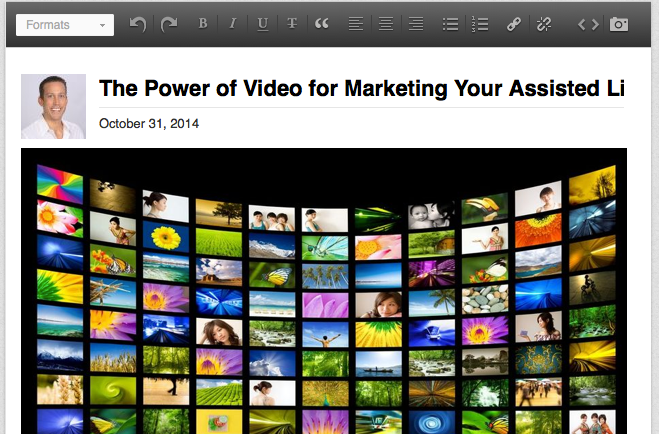
While you may think these are just for journalists, they come in handy for organizing the business content that you want to share in the social media world.  This will help you identify the messages that you want to share and pinpoint the most effective times to share them.

What you will need is a calendar (online or printed) and an hour or two to organize your thoughts.  First I suggest that you make a list of all of the information that you would like to share during the month (events, announcements, email blasts, etc). Then I would suggest that you choose a goal for your month.  Whether it be more email signups, leads, in-store visits, or whatever your own personal business goal would be.

Then, think about how you would drive those results and what type of content makes sense.  Presto!  You just found out what your theme of the month will be.  So if you are choosing newsletter signups, you need to weave the theme of your newsletter through your posts during the month.

Also, you should know how many posts you want to do per week.  I would always suggest a minimum of 7-14 per week.  Which would mean 28-56 per month.

Do you have an email blast that goes out on Tuesdays?  Make sure to mark that on your calendar to share a link to your email blast every week on a Tuesday.  Want to run a contest to promote your newsletter signups?  Promote it three times per week and mark on your calendar when you want to do this.

Then continue to add items to your calendar and before you know it – it should be nearly full!  By creating an editorial calendar you will enable yourself to consistently brand yourself across online and offline as well as come up with quality content that engages your audience.  Now get to it!

Need Online Marketing Help?

Fill Out the Form Below and We Will Get Right Back to You!

[ninja_forms_display_form id=1]

Read More

Long-Form Posts on LinkedIn: The Secret to Building Visibility and Credibility

Create_a_New_Post___LinkedIn
4Nov

LinkedIn has long been one of my preferred social media networks due to the fact that if if you are interested in targeting professionals in your preferred market, it truly is second to none.

If you are new to LinkedIn, you will quickly find that the more you dig into the site, opportunities will present themselves which will allow you to engage other professionals that are interested in learning more about your topic.  These opportunities can drive lifelong relationships, referrals and sales.

There are many ways to showcase your credentials and knowledge on LinkedIn.  It goes without saying, that the first step is to create an engaging profile and company page.  You can also join groups.  You can also write updates.

Now you can do one better.

Long-Form Posts.

LinkedIn launched these with the view to help its users showcase their knowledge in a whole new way.  Now when you publish a Long-Form Post your original content will be showcased in a few different ways:

*It is immediately shared with all of your followers

*It is immediately shared with all of your connections

*It is searchable both on and off LinkedIn

*It gives someone outside your network the opportunity to follow or connect with you

*It becomes part of your professional profile, with its own section.

Not too shabby, right?

So how can you start using this today?  Find suitable posts from your content arsenal.

If you have a blog or regularly write articles that you share across the web, this is perfect content fodder for the LinkedIn Long-Form Post.  Remember, the term is long-form, so we are not talking 200-300 words.  Go long!

Now that you have your content, here’s the step by step (and simple) process of publishing your first Long-Form post:

  1. Log into your LinkedIn account.
  2. On your “Home Screen” you will see your picture with a white box next to it with the words “Share an update…” in it.  If you look to the right side of this box, you will see a small pencil icon.  When you cursor over it, the words “Share an Update” appear.  Click this.
  3. A new screen will open which looks similar to a Word document.  Here is where you can cut and paste your existing content or get to writing something fresh.  You have all of the basic formatting options here as well as the opportunity to add pictures, hyperlinks, and embed media.
  4. After you have added your title, completed your content, and formatted your post – it is time to post! I suggest clicking the “Preview” button to see how your Long-Form Post will look to other LinkedIn members.  Once you are happy with what you see, simply click publish…and you are done!  By the click of that button, everyone that is connected with you will receive a notification that you have just published a new post.

While this is a fairly simple process to reach so many, make sure that your message is worth everyone’s attention.  Crafting a useful note which is packed with value for the members of your target market is an absolute must!  My top tip here is to always think about what your target audience is interested in while coming up with anything that you post online.  If your goal is to engage future referral sources or clients, provide information that they would enjoy.

LinkedIn Long-Form Posts are just another way that LinkedIn is helping you share your expertise while increasing your visibility on the site.  Definitely worth a look!

Need Online Marketing Help?

Fill Out the Form Below and We Will Get Right Back to You!

[ninja_forms_display_form id=1]

Read More

Pinterest and Its Marketing Value for Assisted Living Facilities

Pinterest1-640x327
24Apr

When you are trying to gain more online visibility for your assisted living facility, it seems like there is a new tool popping up everyday that you “must” pay attention to.  Facebook. LinkedIn. Twitter.  YouTube. Google+.  And now Pinterest.

Pinterest is the latest (and greatest )tool in your visual marketing arsenal.

If you have been paying attention to the trends in online marketing, visual content marketing has become a hot topic, especially within the healthcare field.  For years the value of blogs and videos have been touted, but now images have also moved to the forefront.  At the end of the day, people want to do more than just read online – they want to look at and engage with visually appealing content.

And images are what Pinterest does best.

But why should your home assisted living facility care?  Well, let these stats do the talking (recent, as of earlier this year):

  • Pinterest has over 70 million active users
  • 80% of Pinterest users are female
  • 80% of Pinterest pins (or “posts”) are actually re-pins (or “shares”)
  • Web traffic referrals to external websites (like yours!) grew 30% growth from last year
  • Average time spent per visit is 15 minutes
  • Average user spends 98 minutes per month on the site
  • 90% of Pinterest users have a household income of over $30,000 per year!

These stats illustrate the fact that the Pinterest has an affluent, female-driven audience who spend lots of time on the site and are eager to share.

So how do you get involved?  Aside from creating an account you need to organize your  information before you get started.  My advice is to create a personal Pinterest account for yourself and have a peek around at the functionality of the site.  It has a robust Help section, so ask your questions there you will be able to learn more about how to use Pinterest.  Create a few “boards” and “pins” and envision how this would look for your assisted living facility.

Now you can begin to create your strategy in order to increase your visibility among a very influential online market!  Our team of Pinterest experts can help you get started in no time flat with Pinterest marketing campaigns in addition to classes to help you better understand what your strategy should be.

Need Online Marketing Help?

Fill Out the Form Below and We Will Get Right Back to You!

[ninja_forms_display_form id=1]

Read More

Twitter for Home Health Marketing? Absolutely!

twittersketch-640x327
23Apr

For many home health agencies, Twitter continues to remain a bit of a mystery.  This fast moving medium tends to be a bit off-putting to marketers at these companies as they can find it hard to reconcile the amount of effort to the measurable results.  Is it really worth it?

If you had asked me the question a few years ago, I may have had a slightly different answer – but today your home health company MUST be represented fully on Twitter.

When I speak with a home health company about Twitter, usually the first objection I hear is that “Our audience doesn’t use Twitter.”

Let me explain why this statement is incorrect.

Think about the networking meetings that you or your staff attend.  Some may be full of other home health companies, but others may be just health-related businesses or maybe they are just other businesses in your area.  So why would you go to a networking event where no members of your target market were present?  Well, because the people that would be attending could either influence a purchase decision OR refer business to you.

This argument holds true for Twitter as well.

Having a strong and influential profile on Twitter will enable your home health agency to reach a much wider market online.  While someone who is sick in bed may not be “tweeting” with you everyday, their caregiver may.  Their loved ones might. Their caregiver’s best friends will.  And the list goes on.  Twitter helps you to create a large net where your information can reach an extended network of users who can then in turn share it with their extended network, and so on.

Aside from the influence and viral aspects of Twitter, it also helps you to stay competitive in your market place.  Let’s say for example that you are a home health company based in Boston, Massachusetts that serves the Boston and surrounding areas.  By now you should be able to know all of your direct competitors, but say that there are 10 of them out there, 7 with Twitter accounts.  You not only have the ability to look through their accounts, but you can also get exclusive access to see who is following them.  Every single one of them.

As you can imagine, this is extremely useful in terms of a competitive analysis – but also allows you an insight into who would be interested in your information.  Actually, you can invite them to follow you as well. Imagine that power!

Another reason Twitter is important for your home health care company is that it brings a cutting-edge credibility to your business.  In the business of healthcare, it is increasingly important for your company to be on top of all technological advances and trends.  You want to be viewed as offering the best home health care services for your target market, and by showcasing your company (and what sets you apart from the pack) on Twitter you are able to get this across to thousands upon thousands of people.

All in all, if you have not created a Twitter account yet for your home health care company, there is no more time to wait.  You need to get on this today.  I suggest your first step should be to do a quick look around Twitter to see what your competitors are doing and how engaged they are with their audience.  This will show you how successful you will be quickly.  For example, if you are going to be an early adopter in your market, you will be able to suck up the market share quickly.  But if your competitors have vibrant profiles that are active, it will take more time.

Need Online Marketing Help?

Fill Out the Form Below and We Will Get Right Back to You!

[ninja_forms_display_form id=1]

Read More
LinkedIn Results: What Your Home Health Agency or Assisted Living Facility Can Expect!

104106843-640x327
22Apr

If you have been following our blog or our related daily national radio show (The Social Marketing Academy), you know that I am an absolutely MASSIVE proponent of the powers of marketing your company on LinkedIn.  This vibrant and highly active professional social networking hub can offer so many positive outcomes to your business that sometimes it can be surprising.

When it comes to home health agencies and assisted living facilities, LinkedIn is one of the tools that is not always the first choice when you turn to online promotion.  Many individuals in these industries believe that by simply creating a sparse LinkedIn Professional Profile, they are checking off “LinkedIn Marketing” from their to-do list.

This couldn’t be farther from the truth.

There are many activities that make up a vibrant and successful LinkedIn marketing strategy which home health and assisted living facilities are missing.  But why?

It truly does come down to lack of resources: especially time.  Of course time is always at a premium, and LinkedIn is one of the longer games when it comes to building visibility and credibility.  Also, the time that you need to spend on the site on a consistent basis can be daunting to an overworked marketing manager.  Speaking of lack of resources, this can also relate to the lack of knowledge that a home health agency or assisted living facility has of how LinkedIn works.  Who has extra time to learn an entirely new marketing tool?

Whether you don’t have the time or still need to pick up the skills, here is why you need to listen up when it comes to the power of LinkedIn marketing for your home health or assisted living company.  Below are some of the results that you can expect from a LinkedIn marketing campaign:

  • Visibility: you will gain visibility to members of your target market by joining groups where you could have hundreds of thousands of eyeballs to your every move.
  • Credibility: your activity and marketing strategy will build your credibility and position you as an expert/leader in your field.
  • Website Traffic: you can build valuable traffic from LinkedIn to your website, blog or landing pages.
  • Referrals: you can connect and network with referral sources in real time to enhance the reach of your business.
  • Connect with the Elusive: having trouble connecting with leads via email – try LinkedIn and see how your rate of response changes.
  • Event and Service Promotion: promote your events and/or services to the masses as often as you please (including email blasts).
  • Public Relations Opportunities: the more consistent your activity is, the more you will asked to post guest blogs, speak at conferences and have media appointments.
  • Testimonials: you can solicit and collect useful testimonials that you can then use in your marketing collateral.
  • Branding: you can brand your company fully via LinkedIn Company Pages and showcase your services through Showcase Pages.
  • Hiring: looking to expand your staff or need to replace a member of staff?  LinkedIn will help you reach some of the most savvy prospects in your area.

And this is just scratching the surface.  All of the above results are within your grasp as long as you have a cohesive and strategic social media marketing campaign by your side.  This is something that my team at The Go! Agency specializes in, and we have years of experience executing these campaigns for members of the healthcare industry – and in particular home health and assisted living.

Need Online Marketing Help?

Fill Out the Form Below and We Will Get Right Back to You!

[ninja_forms_display_form id=1]


Read More
×
✕